How to Use DAB E.SYBOX Settings | Features, Menus & App Guide
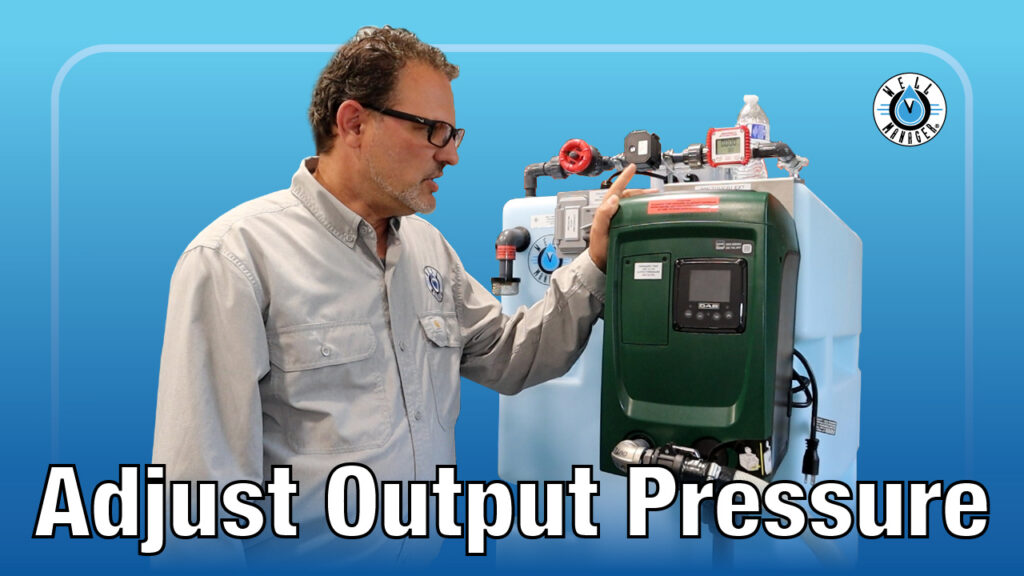
Want to better understand your DAB E.SYBOX pump? In this video, we walk through how to use DAB E.SYBOX settings, menus, and built-in features to help homeowners and installers feel more confident using their system. Learn how to navigate controls, understand key functions, and get a better overview of available settings and app features.
Understanding your pump settings can help you get the best performance from your system. This video serves as a walkthrough for how to use DAB E.SYBOX settings, menus, and built-in features so homeowners and installers can better understand pump operation. You’ll learn how to navigate the menu system, explore important controls, review key features, and get an overview of available app connectivity options. Whether you are new to the E.SYBOX or simply want to better understand your system, this guide helps make pump controls easier to understand.
What This Video Covers
- How to navigate DAB E.SYBOX settings and menus
- An overview of key pump features and controls
- What important settings homeowners should understand
- How the DAB E.SYBOX interface works
- Overview of available app connectivity and functionality
Understanding Your DAB E.SYBOX Pump
The DAB E.SYBOX is designed to provide dependable, consistent water pressure while giving homeowners more control over how the system operates.
For many homeowners, the settings and menu options may feel intimidating at first. However, understanding the basics can help you feel more confident using your pump and making small adjustments when needed.
This video provides an overview of important settings, controls, and features available within the DAB E.SYBOX system.
Navigating the DAB E.SYBOX Menu System
The DAB E.SYBOX includes built-in menus that help homeowners better understand pump operation and system performance.
In this video, we walk through how to navigate the interface and review common settings and features, including:
- Pressure settings and system operation
- Pump status and performance information
- Basic menu navigation and controls
- System information and monitoring features
- Available app connectivity options and functionality
While this video is designed as an overview rather than a full programming guide, it helps homeowners and installers become more comfortable understanding what the DAB E.SYBOX can do and where to find important information.
Understanding Features & Pump Controls
The DAB E.SYBOX includes a variety of built-in features designed to improve water pressure performance and ease of use.
Depending on your setup, understanding pump controls can help you better monitor performance, adjust settings when appropriate, and become more comfortable using the system.
This video gives an overview of important features without requiring technical experience.
DAB E.SYBOX App Overview
The DAB E.SYBOX also offers app connectivity options for monitoring and interacting with system information.
In this video, we briefly discuss available app features and connectivity options to help homeowners better understand how the system can be monitored and managed.
Because this video is an overview, it focuses on understanding available functionality rather than full app setup or connection steps.
Need Help Understanding Your DAB E.SYBOX?
If you have questions about settings, menus, or pump operation, our team is here to help.