Well Manager® Installation Resources
The Well Manager® System uses timed water collection to gradually collect and store water from a low-yield well, then delivers the stored water to the home at consistent pressure using a booster pump.
Unlike systems that work alongside an existing pressure tank and pressure switch, the Well Manager® replaces both as part of the installation. Proper system placement, plumbing, filtration, electrical connections, and setup are important to ensure the system operates as intended.
Your Installation Guide
Every Well Manager® System includes a detailed installation guide with system-specific instructions for plumbing, electrical connections, setup, startup, testing, and maintenance. Your installation guide is provided with your system and should be reviewed by you and your installer before installation begins.
The resources below are designed to help you plan ahead and better understand the installation requirements for your Well Manager® System.
Jump to a Section
Where the Well Manager® Fits in Your Water Line
The Well Manager® is installed between the well supply and the home’s water distribution and treatment equipment. During installation, the existing pressure tank and pressure switch are removed, allowing the Well Manager® to control water collection from the well and the booster pump to provide pressurized stored water to the home.
A 50-micron sediment filter is required on the incoming well line before water enters the Well Manager® System. Additional water treatment equipment can then be incorporated based on the home’s existing water treatment setup.
Diagram highlights pre- and post-filtration recommendations for a complete setup.
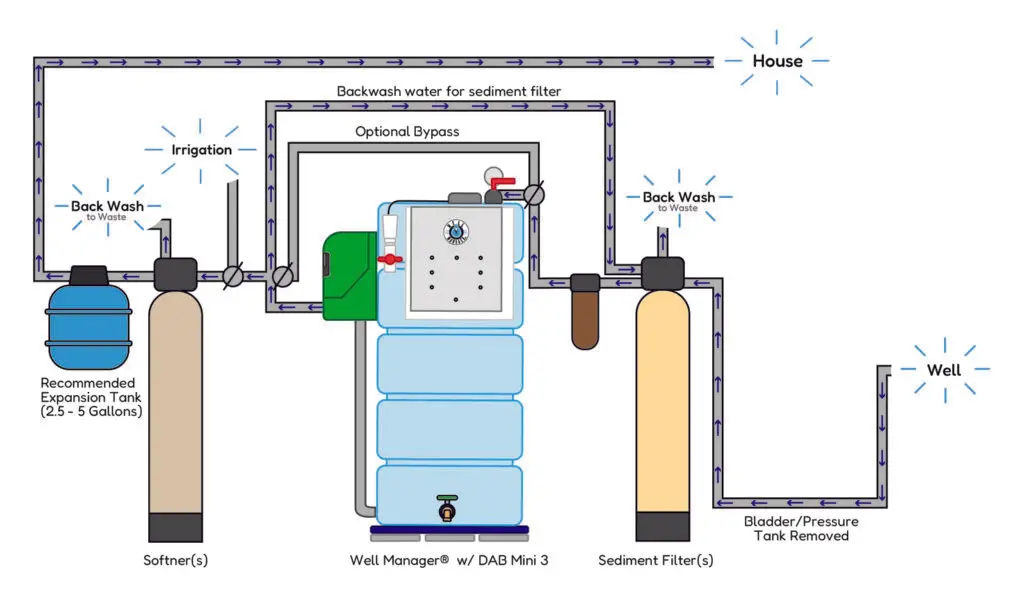
Installation Note: For best performance and to help prevent rapid pump cycling, install a bladder tank on the discharge side of the pump. DAB recommends sizing the bladder tank based on your pump’s normal peak flow:
- 2-gallon bladder tank – E.SYBOX Mini 3 (approximately 10 GPM)
- 4-gallon bladder tank – E.SYBOX, DTRON 2, and DIVER (approximately 20 GPM)
- 10-gallon bladder tank – E.SYBOX MAX (approximately 50 GPM)
With a Well Manager® system, the existing pressure tank can often be reinstalled after the system to serve as the bladder tank.
Have Existing Water Treatment?
Water softeners, iron filters, UV systems, and other treatment equipment can be incorporated into a Well Manager® installation. Placement may vary depending on the type of treatment and your existing water system.
If you’re unsure where your existing equipment should be located, contact our team for help reviewing your installation layout.
System Dimensions & Space Requirements
Well Manager® Systems are available in multiple tank orientations and pump configurations to accommodate different installation spaces. Review the dimensions of your system before installation, including the space needed for the tank, booster pump, plumbing connections, and access for future service.
Vertical 210 gallon

L45″ x W24″ x H68″
Effective Water Storage: 195gal
Horizontal 210 gallon

L70″ x W24″ x H46″
Effective Water Storage: 185gal
Low Horizontal 210 gallon

L70″ x W37″ x H32″
Effective Water Storage: 175gal
Vertical 100 gallon

L32″ x W24″ x H56″
Effective Water Storage: 90gal
Your Pump Configuration Can Affect System Space
The amount of installation space required can vary depending on the booster pump selected and whether the pump is installed internally, externally, wall-mounted, or alongside the system.
Review your specific system configuration when planning the installation area, and allow adequate space for plumbing connections and future access to the pump and system components.
Planning a Multi-Tank System?
Additional storage tanks can be added to increase available water storage. Because multi-tank systems can be arranged differently depending on tank orientation, pump configuration, and available space, overall dimensions will vary by installation.
Contact our team if you need help determining the footprint or layout of your specific configuration.
Plan for the Weight of a Filled System
A filled Well Manager® 210 tank can exceed 1,800 lbs. The system must be installed on a level concrete slab or a properly reinforced wood or steel subfloor capable of supporting the filled system.
Condensation should also be considered when selecting the installation location. A condensation pan and access to a nearby floor drain or sump area are strongly recommended.
Built for Water Storage
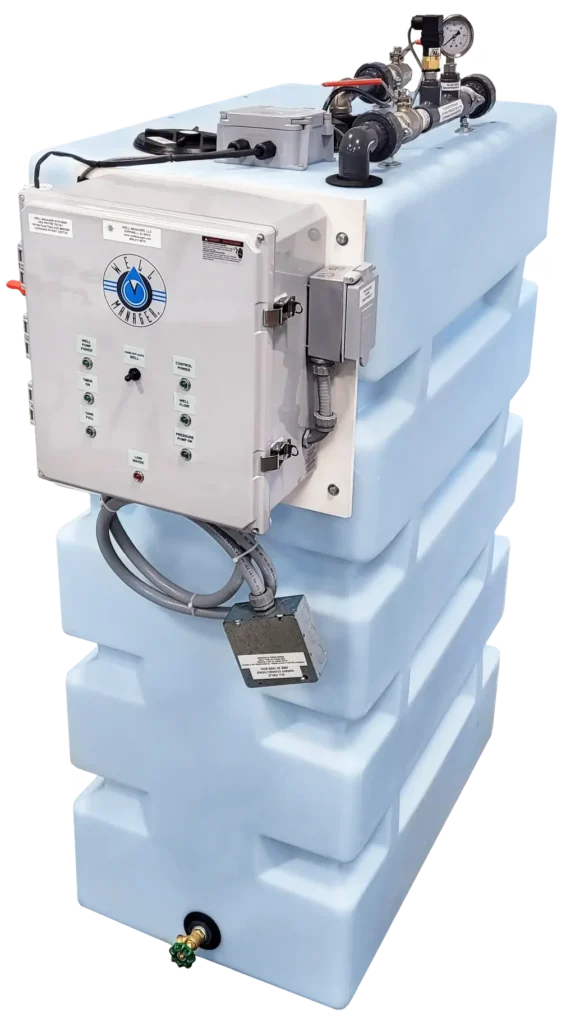
Well Manager® Systems use durable polyethylene tanks designed for potable water storage. Their ribbed construction provides added strength, with multiple tank orientations available to accommodate different installation spaces.
Explore our water storage tanks for more information about tank construction, dimensions, orientations, and features.
Simple Plumbing Connections
Well Manager® Systems arrive pre-assembled with much of the system plumbing already in place. For a typical installation, your installer will connect the incoming well line to the system and connect the system outlet back into the home’s main water line.
Standard Well Manager® Connections
- Inlet: 1″
- Outlet: 1″
A 3/4″ inlet is available by custom order. Installers can also use appropriate reducers or adapters as needed to connect the system to existing household plumbing.
The piping between the storage tank and booster pump is typically provided by Well Manager based on the selected system and pump configuration. If the booster pump will be mounted away from the system, additional on-site plumbing may be required.
Plumb In → Well Manager® System → Plumb Out
Filtration & Expansion Tank
Plan for the required pre-filtration and expansion tank when completing your Well Manager® plumbing connections. Refer to the system layout and pump information above for placement and sizing details.
Plan for Overfill Drainage
The Well Manager® includes an overfill safety connection near the top of the tank as a backup in the event of an unexpected overfill. This connection must be routed to an appropriate drainage location, such as a floor drain, sump basin, standpipe, or other approved drainage area.
Plan for drainage when selecting your system location. Flexible tubing or PVC can be used to safely direct overflow away from the system and surrounding floor area.
Need a Different Plumbing Configuration?
The Well Manager® is built with a standard 1″ inlet and 1″ outlet. A 3/4″ inlet can be requested as a custom option, and installers may use reducers or adapters where needed to connect the system to existing plumbing.
If your project requires a different pump location, piping arrangement, or a custom commercial configuration, let our team know before your system is built.
Electrical Requirements
The Well Manager® System and booster pump require proper electrical service for safe and reliable operation. Electrical requirements vary depending on the booster pump selected, so available power should be considered when planning your system configuration and installation location.
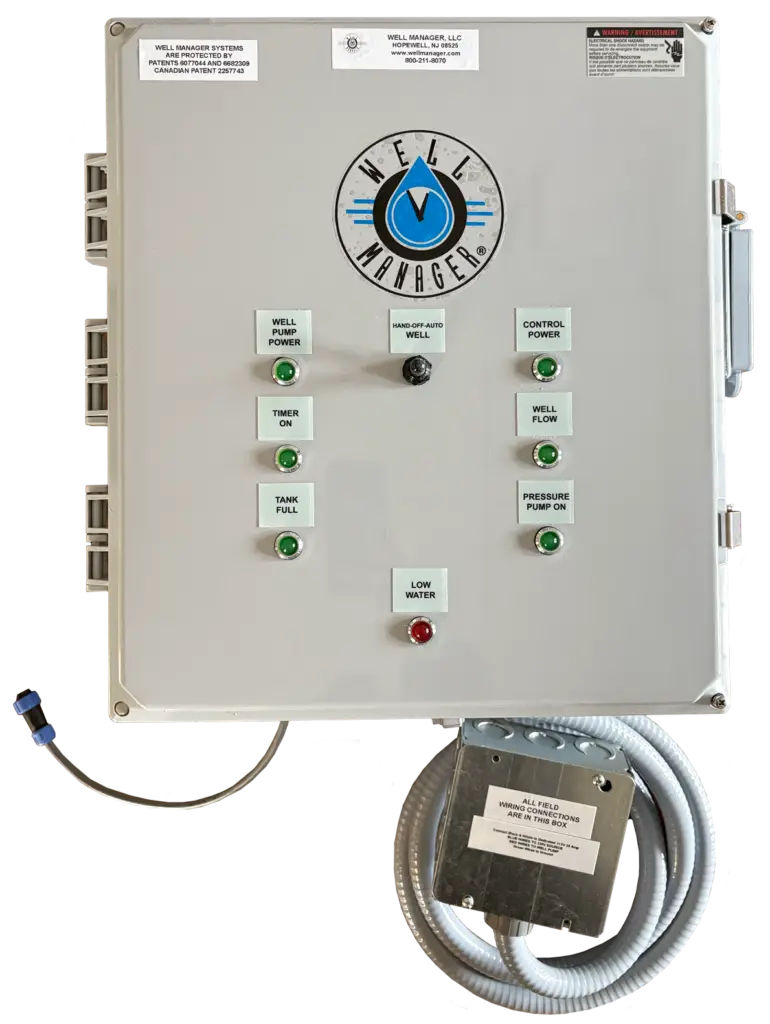

Well Manager® System / Control Panel
115V
Dedicated 15A Circuit
Booster Pump
Varies by Pump
Requirements depend on the selected booster pump.
Well Pump Connection
The Well Manager® takes over control of water collection from the well as part of the installation. Existing well pump wiring that previously operated through the pressure switch must be properly connected to the Well Manager® control system.
Refer to the Well Manager® Installation Guide for the required wiring configuration for your well pump and control setup.
Electrical Installation
Dedicated circuits are required and should not be shared with other equipment. Connections to the home’s breaker system should be completed by a licensed electrician and must follow applicable local electrical codes.
Always disconnect power before working on system wiring or electrical components.
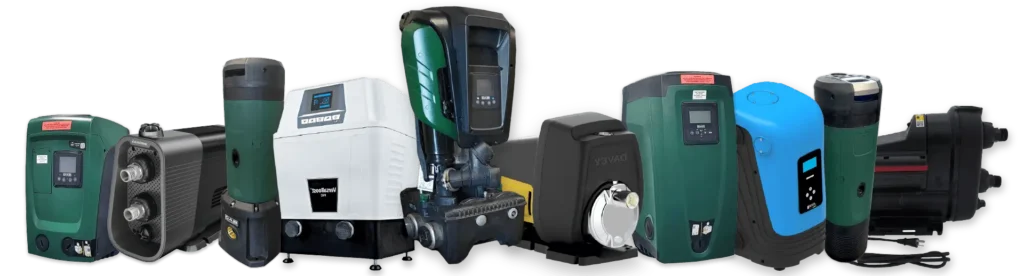
Booster Pump Options
The Well Manager® can be configured with different booster pumps based on your home’s water demand, desired pressure, available electrical service, and installation space.
Your selected pump may be installed inside the tank, alongside the system, or in another suitable location depending on the pump and system configuration.
For pump specifications, electrical requirements, dimensions, and available options, visit our Booster Pump Options page.
Understanding Well Manager® Backpressure
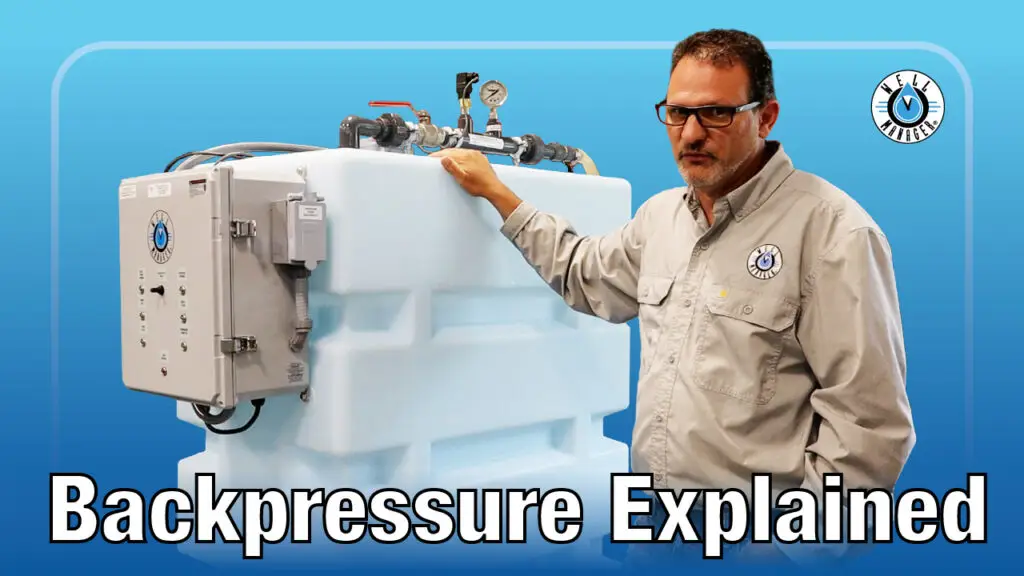
The Well Manager® uses controlled backpressure and timed collection to regulate how quickly water is collected from the well. Proper backpressure helps the system collect water at a rate the well can reliably supply without drawing water faster than the well can recover.
Backpressure and collection settings are established based on the performance of your well and are an important part of the initial Well Manager® setup.
Well Manager® Installation FAQs
Does the Well Manager® use my existing pressure tank?
No. As part of a standard Well Manager® installation, the existing pressure tank and pressure switch are removed from their original function. The Well Manager® takes over control of water collection from the well, while the booster pump pressurizes stored water for use throughout the home.
Where should the Well Manager® be installed?
The Well Manager® should be installed on a level, properly supported surface with adequate room for the system, plumbing, electrical connections, drainage, and future service access. Review the system dimensions and installation requirements above when selecting a location.
How is the collection rate set?
The Well Manager® uses timed collection and controlled backpressure to manage how water is collected from the well. Collection settings are based on the well’s available yield and recovery characteristics.
Refer to the installation guide and our Understanding Backpressure video for more information about initial system setup.
Can I use my existing water treatment equipment?
Yes. Water softeners, iron treatment, UV systems, and other water treatment equipment can be incorporated into a Well Manager® installation. Placement depends on the type of equipment and your existing water system.
If you’re unsure how your treatment equipment should fit into the installation, contact our team for layout assistance.
Can my plumber install a Well Manager®?
Yes. The Well Manager® can be installed by a qualified plumber, well professional, or other experienced installer. Electrical connections to the home’s breaker system should be completed by a licensed electrician and all plumbing and electrical work must follow applicable local codes.
We recommend that both the system owner and installer review the Well Manager® Installation Guide before installation begins.
Can Well Manager help my installer before or during installation?
Yes. Our team can help answer questions about your system configuration, placement, pump setup, plumbing, electrical requirements, and other installation considerations. We can also provide custom system layouts when additional planning is needed.
For more involved installation questions, you or your installer can schedule a call with our team to review the system and discuss your installation needs.
Preparing for Your Well Manager® Installation?
Your Well Manager® System will arrive with a detailed installation guide specific to your system and configuration. Be sure to review the guide with your installer before beginning installation.
If you or your installer have questions while planning or installing your system, our team is available to help with system placement, plumbing, electrical requirements, setup, and other installation questions. You can also schedule a call with our team for additional installation support.
Need Help Visualizing Your Installation?
Every installation is different. Our team can create a custom system layout to help you better understand how your Well Manager system may fit, connect, and be configured before installation.
Layouts can be tailored to your space, system configuration, pump selection, water treatment equipment, and other installation needs.
- Photos of the proposed installation area
- Overall room or available-space dimensions
- Ceiling height and doorway/access measurements
- Existing plumbing and incoming water-line location
- Pressure tank and water treatment locations
- Available electrical service
- Furnaces, water heaters, appliances, or other equipment that cannot be moved
Space & Placement

System Dimensions

Plumbing & Equipment
